
How to reinstall or install other OS on VPS

1. Select VPS in billing panel.
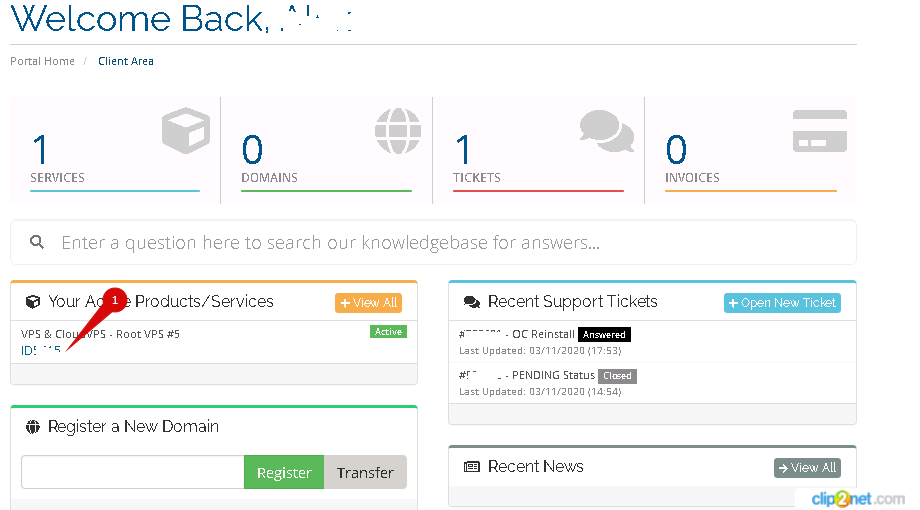
 

2. Click Edit VM.
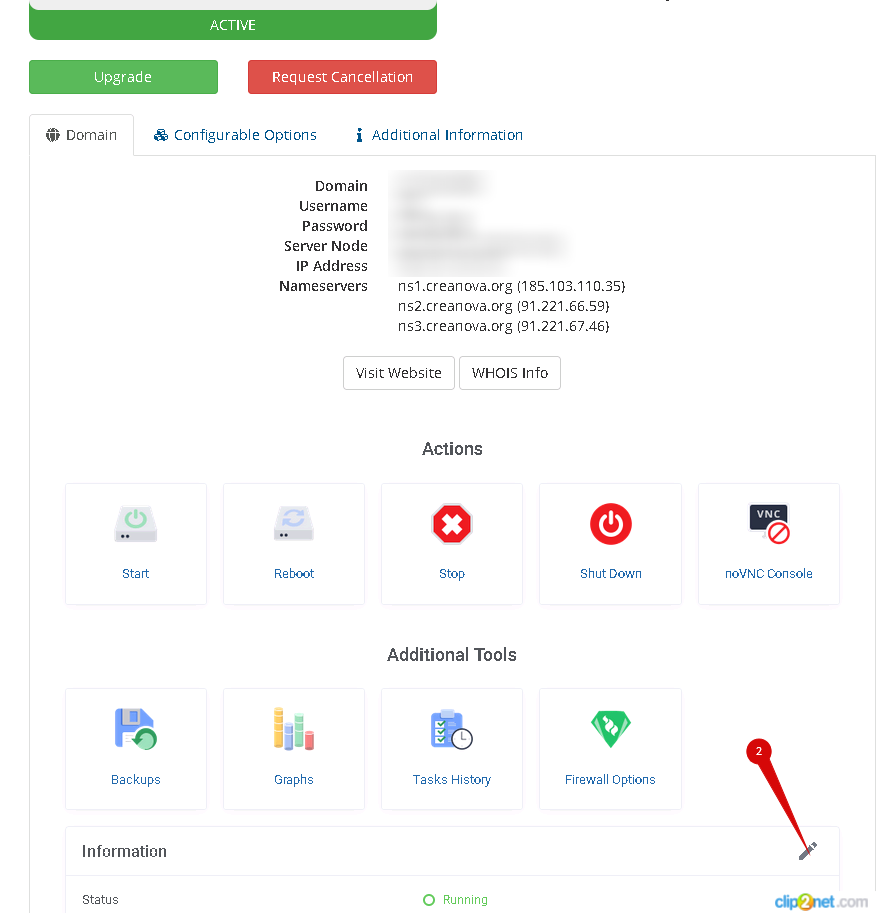


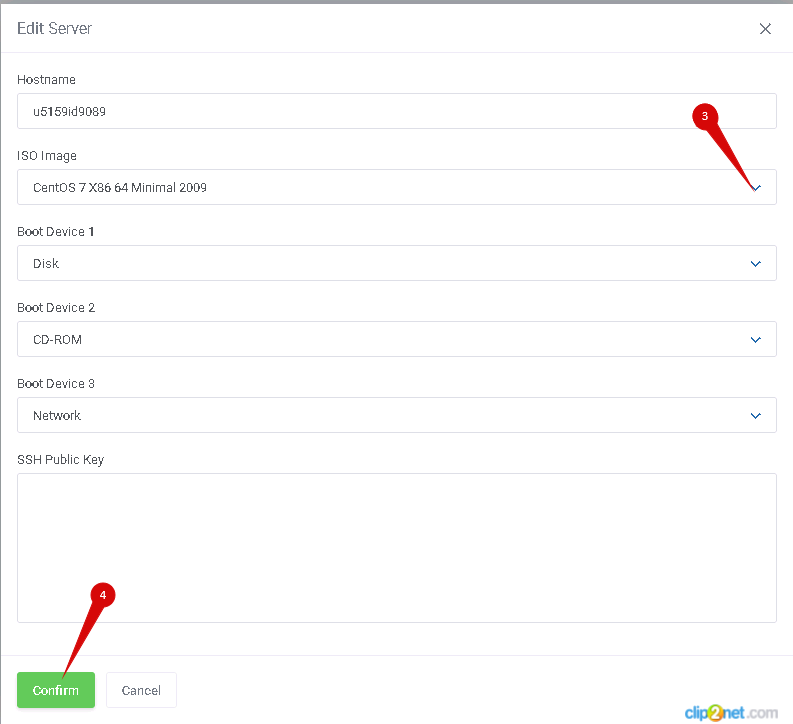
3. Select Iso Image (example Centos7).

4. Press confirm.
 

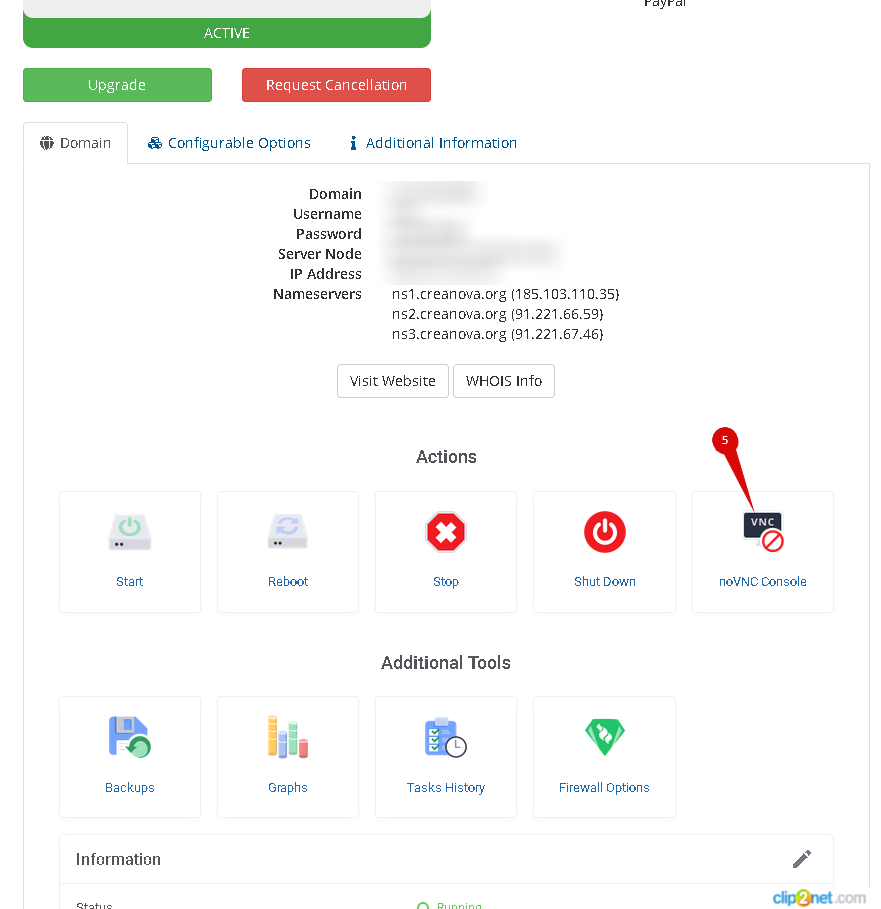
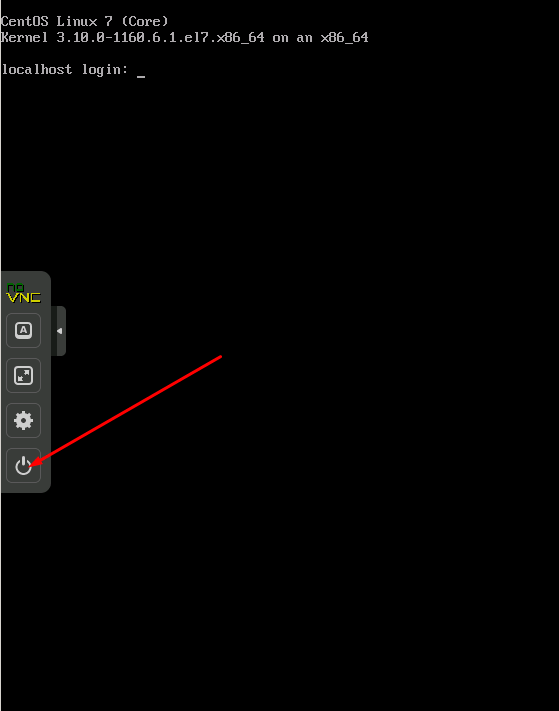
5. Сlick to open noVNC.


6. reboot
 

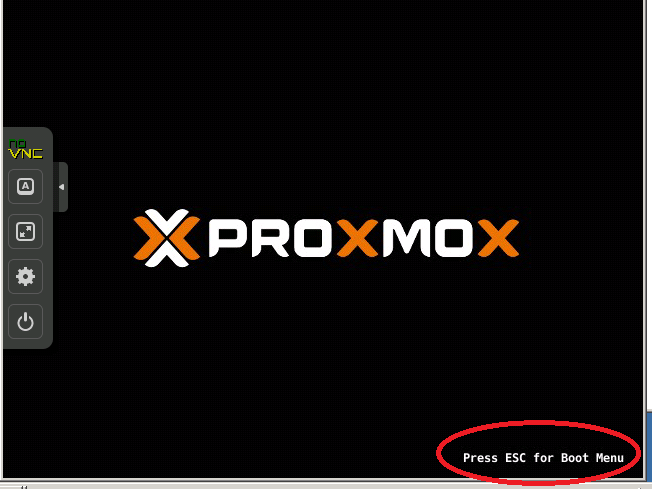
7. push ESC button on keyboard when PROXMOX logo shows

At this step, you need to act quickly, since this inscription is displayed on the screen for a short time.
 

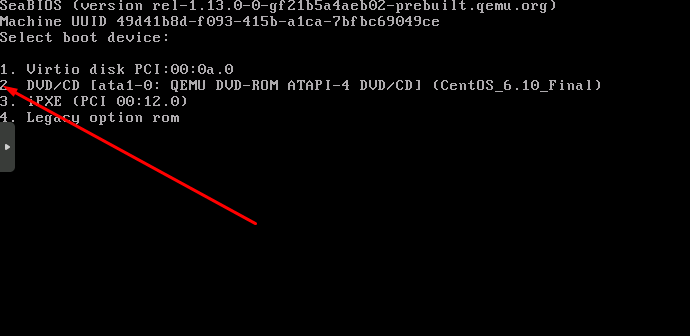
8. choose boot from CDROM
 

9. install

Usually all ISO images are net-install edition and you need use network configuration which was given to you.

For more information about network settings, see article: What are the network settings in my VPS?

  • 13 Kasutajad peavad seda kasulikuks
Kas see vastus oli kasulik?

Seotud artiklid

FastPanel

The free version is called the Standard license—it's free "forever" and includes basic features....

How to get IPv6 config

IPV6 address is configured manually. IPV6 address is issued upon request to the support service....

What are the network settings in my VPS?

When installing the OS, use the following Network Settings:1) Use STATIC IP address, not dhcp:...

Working with the noVNC console

How to restart, shutdown, turn on a virtual machine from the noVNC console.   1. Open the main...

How to open noVNC console.

  1. Select VPS server.   2. Click noVNC console.