
What are the network settings in my VPS?

When installing the OS, use the following Network Settings:
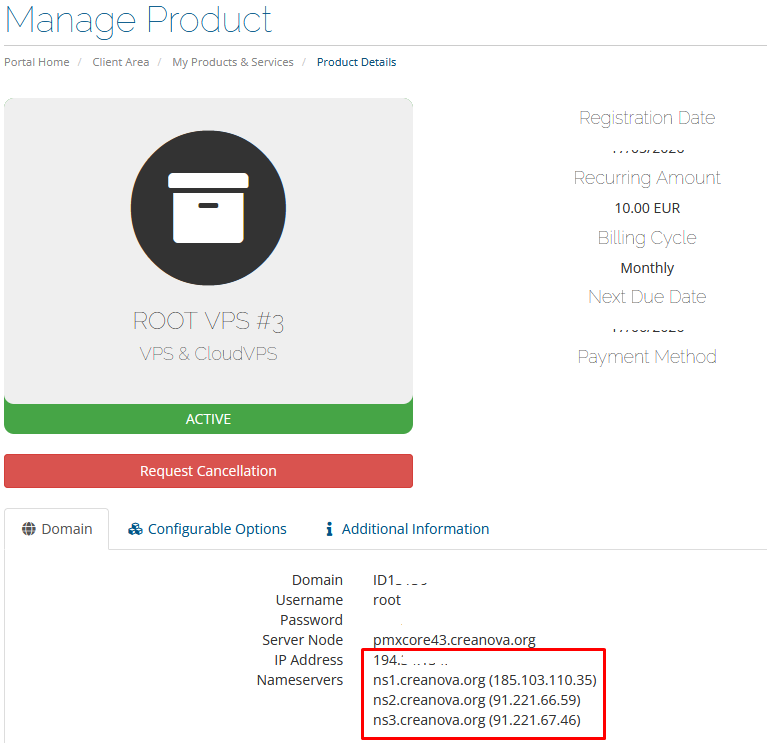
1) Use STATIC IP address, not dhcp: you can see the ip address in product details (see screenshots below)
2) netmask: 255.255.255.0
3) gateway: same as ip address but last digit 1.
For example, if the ip address is 192.168.2.133, then the gateway will be 192.168.2.1

4) DNS: 91.221.66.59, 91.221.67.46


Where to find network settings:

1) Go to Services. 
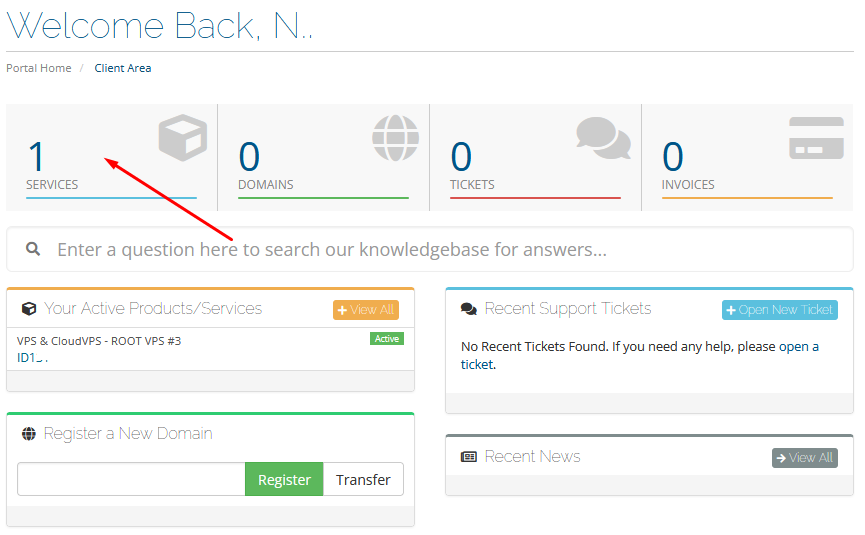
2) Select the desired service from the list. 
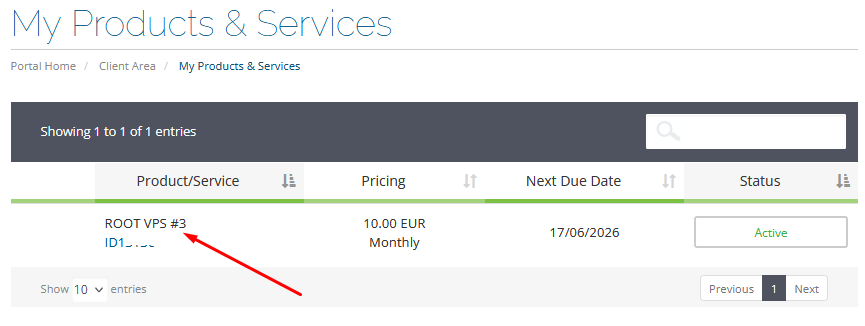
3) Here you'll see the IP address of your VPS.
  • 6 Пользователи нашли это полезным
Помог ли вам данный ответ?

Связанные статьи

FastPanel

The free version is called the Standard license—it's free "forever" and includes basic features....

How to get IPv6 config

IPV6 address is configured manually. IPV6 address is issued upon request to the support service....

Как переустановить или установить другую ОС на VPS

1. подцепить образ в панели билинга 2. открыть noVNC 3. перезагрузить 4. при заставке PROXMOX...

Working with the noVNC console

How to restart, shutdown, turn on a virtual machine from the noVNC console.   1. Open the main...

How to open noVNC console.

  1. Select VPS server.   2. Click noVNC console.